

What you can do with this tool
- Match a colour across tools: turn a HEX code into RGB, HSL or CMYK for the app you're using.
- Get print colours right: convert screen RGB to CMYK so what you print looks closer to what you saw.
- Tweak a design shade: use HSL to make the same colour lighter or darker for a hover or button.
- Name a colour you found: paste a code from a website or photo and see it in every format.
It takes seconds — and the rest of this guide shows you how colour codes really work.
Use the free Color Converter (HEX/RGB/CMYK): paste any colour code to convert it between HEX, RGB, HSL and CMYK — open the converter →
📌 Key takeaways
- One colour, four names: #FF5733 = rgb(255, 87, 51) = hsl(10.6, 100%, 60%) = cmyk(0%, 65.9%, 80%, 0%).
- HEX is base 16: FF = 15 × 16 + 15 = 255.
- Screens use RGB; printers use CMYK — that's why print colours never quite match the screen.
- HSL is the designer's favourite for tweaking: same hue, just lower the lightness for a darker hover.
🎨 Color Converter — at a glance
The key numbers from this guide, in one place.
1What a color code actually is (start from zero)
Your screen makes every color out of just three lights: red, green and blue. Crank all three to full and you get white; turn them all off and you get black; mix them at different strengths and you get everything in between — all 16,777,216 possible combinations (256 × 256 × 256). A color code is simply a way of writing down how much red, green and blue to use.
That's it. That's the whole foundation. Everything else — HEX, HSL, CMYK — is notation and convenience layered on top of those three channels. When you understand that, conversions stop being mysterious: you're always describing the same three-light mixture, just in different words.
The reason we have multiple formats is that different people think about color differently. A web developer pasting a color into CSS wants something short — that's HEX. A designer nudging "make it a bit brighter" wants a slider for brightness — that's HSL. A printer mixing ink wants to know how much cyan, magenta, yellow and black to lay down — that's CMYK. Same orange, four mindsets.
Our example color for this guide is #FF5733, a warm orange-red. We'll convert it every which way so you can watch one swatch wear four different costumes.
2The formula — HEX to RGB, with a worked example
HEX is just base 16. Each pair of HEX digits is one colour channel, and converting a pair to decimal gives you the RGB number.
A colour like #FF5733 has three pairs: FF for red, 57 for green, 33 for blue. Convert each pair and you have the RGB triplet.
Common mistake: reading HEX pairs as decimal numbers. 57 in HEX is 87 in decimal, not 57 — and that mix-up is why hand-converted colours come out wrong.
3The four formats: HEX, RGB, HSL and CMYK
HEX: RGB in base-16
#FF5733 is three pairs of hexadecimal digits: FF for red, 57 for green, 33 for blue. Each pair is one byte, from 00 (0) to FF (255). So HEX isn't a different color model at all — it's just RGB written compactly in base-16. #FF0000 and rgb(255, 0, 0) are identical; web code prefers HEX because six characters beat a whole function call.
RGB: the screen's native tongue
rgb(255, 87, 51) spells out the three light channels directly, each 0–255. Design tools, image editors and game engines think in RGB because it maps straight onto the hardware. If HEX is the shorthand, RGB is the longhand — same information, more typing.
HSL: the designer's format
hsl(10.6, 100%, 60%) describes color the way humans think: hue (0–360° around the color wheel), saturation (0–100%, how vivid), lightness (0–100%, how bright). Nobody thinks "I want 30% more green" — but "a bit brighter" or "less vivid" maps perfectly onto lightness and saturation. That's why designers reach for HSL when building palettes.
CMYK: the printer's format
cmyk(0%, 65.9%, 80%, 0%) is the reverse world: instead of adding light, you're layering cyan, magenta, yellow and black ("key") ink on paper, which subtracts light. Printers need this because ink physics is nothing like screen physics — a file that looks perfect in RGB can print dull or wrong if it was never converted.
| Format | Looks like | Who uses it | When to use it |
|---|---|---|---|
| HEX | #FF5733 | Web developers | CSS, HTML, any web code |
| RGB | rgb(255, 87, 51) | Designers, game devs | Screen design, image editing |
| HSL | hsl(10.6, 100%, 60%) | Designers | Building palettes, tweaking brightness/vividness |
| CMYK | cmyk(0%, 66%, 80%, 0%) | Printers | Flyers, packaging, business cards — anything printed |

4A short history of colour codes
Colour science starts with Isaac Newton. In 1666 he shone sunlight through a prism and split it into a rainbow, showing that white light is a mix of colours. He even bent the spectrum into a circle — the first colour wheel — and that wheel is still how designers think about colour today.
In the 1800s, Thomas Young and Hermann von Helmholtz worked out that the human eye sees colour with three types of receptors, sensitive to red, green and blue. That three-channel idea became RGB, the system every screen still uses: mix red, green and blue light in different strengths and you can make nearly any colour.
HEX codes arrived with the web in the 1990s. HTML needed a short way to write RGB values, so each channel’s 0–255 number was written as two base-16 digits: #FF5733 instead of rgb(255, 87, 51). Printers, meanwhile, kept CMYK — cyan, magenta, yellow and black ink — because mixing ink works the opposite way from mixing light.
5Converting by hand: the exact math
You'll use the converter for real work, but doing it by hand once makes the formats click. HEX to RGB is a base-16 to base-10 conversion, one pair at a time:
RGB to CMYK figures out how much black ink the color already contains, then expresses the remaining ink relative to what's left:
Going the other direction — RGB to HEX — just divide each channel by 16: the quotient is the first hex digit, the remainder is the second. 87 ÷ 16 = 5 remainder 7 → "57". Once you've done it twice, it becomes mechanical.
Hue anchors: reading the color wheel
HSL's hue is a position on a 360° wheel. Memorize six anchors and you can read any hue value at a glance:
| Hue | Color | Example |
|---|---|---|
| 0° | Red | #FF0000 |
| 60° | Yellow | #FFFF00 |
| 120° | Green | #00FF00 |
| 180° | Cyan | #00FFFF |
| 240° | Blue | #0000FF |
| 300° | Magenta | #FF00FF |
Our example color's hue of 10.6° sits just past red toward yellow — which is exactly what orange-red should be. See a hue of 200°? That's between cyan (180°) and blue (240°) — a sky blue, like the #0EA5E9 in the reference below.
6Popular colors: the ready reference
A ready reference of colors you'll actually use — click a chip in the converter to load any of them:
| Color | HEX | RGB | HSL |
|---|---|---|---|
| Red | #FF0000 | rgb(255, 0, 0) | hsl(0, 100%, 50%) |
| Orange | #FF5733 | rgb(255, 87, 51) | hsl(11, 100%, 60%) |
| Gold | #FFD700 | rgb(255, 215, 0) | hsl(51, 100%, 50%) |
| Green | #22C55E | rgb(34, 197, 94) | hsl(142, 71%, 45%) |
| Sky | #0EA5E9 | rgb(14, 165, 233) | hsl(199, 89%, 48%) |
| Blue | #2563EB | rgb(37, 99, 235) | hsl(221, 83%, 53%) |
| Navy | #0F172A | rgb(15, 23, 42) | hsl(222, 47%, 11%) |
| Purple | #833AB4 | rgb(131, 58, 180) | hsl(276, 51%, 47%) |
| Pink | #E1306C | rgb(225, 48, 108) | hsl(340, 75%, 54%) |
| Black | #000000 | rgb(0, 0, 0) | hsl(0, 0%, 0%) |
| White | #FFFFFF | rgb(255, 255, 255) | hsl(0, 0%, 100%) |
Notice how the HSL column tells a story the HEX column can't: pink's hue of 340° sits just before red's 0°/360°, purple's 276° sits between blue and magenta, and navy is just a very dark, slightly desaturated blue. Once you read hue, palettes start making sense.
7Screens vs print: RGB vs CMYK in real life
This is where color theory meets expensive mistakes. Screens emit light (additive RGB); paper reflects it (subtractive CMYK ink). Those are opposite physics, and the translation isn't perfect: CMYK has a smaller gamut than RGB, meaning some vivid screen colors simply cannot be printed.
The classic casualty is bright, saturated color — neon greens, electric blues, vivid oranges. On screen they glow; on paper they come back duller and flatter, because ink can't reproduce that intensity. If you're designing a logo, a flyer, or packaging, convert to CMYK before you fall in love with the color, not after the print shop calls.
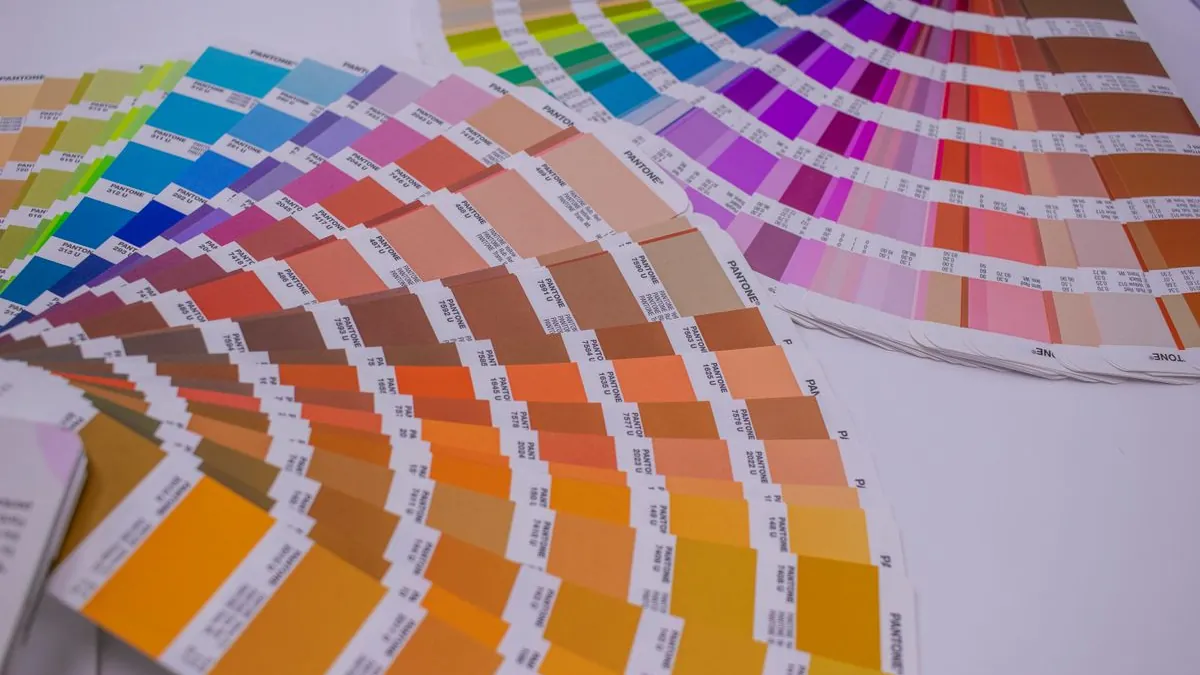
Practical rules: design for screens in RGB/HEX; design for print in CMYK from the start. Never send an RGB file to a commercial printer and hope — the printer's software will convert it, and its conversion choices won't be yours. And if exact color matters (brand colors on packaging), ask the printer about spot colors (like Pantone), which are premixed inks rather than CMYK approximations.
8Using colors in code: CSS, shorthand and transparency
A few CSS habits that save real time once you know the formats:
- Case doesn't matter.
#ff5733=#FF5733— pick whichever reads better in your code. Most teams use lowercase. - Shorthand works when pairs repeat.
#F53means#FF5533— each digit doubles. It only works when each pair has two identical digits, so it's not#F50033. - Need transparency? Add two digits.
#FF573380is the same orange at 50% opacity — the last pair is the alpha channel (80 in hex = 128 = half of 255). Or usergba(255, 87, 51, 0.5). - HSL shines for variations. Need a darker button hover state? Keep the hue and saturation, drop the lightness:
hsl(11, 100%, 60%)→hsl(11, 100%, 48%). One number changed, perfect color harmony. - Copy the summary line from our converter to paste all four formats into your notes at once.
background: hsl(11, 100%, 60%); and on hover background: hsl(11, 100%, 48%);. Try doing that cleanly with HEX and you'll see why designers love HSL.9Common mistakes to avoid
Easy to slip up on these:
- Forgetting the #. CSS needs
#FF5733— without the hash it's not a color. Most converter tools accept both, but your stylesheet won't. - Misreading 3-digit hex.
#F53means#FF5533— each digit doubles. It's not#F50033. - Thinking rgb(255, 0, 0) is "redder" than #FF0000. They're the exact same color, just written differently.
- Using CMYK numbers on screen. CMYK is ink for paper; screens want RGB or HEX. Convert for the medium you're actually designing for.
- Designing print work in RGB. The gamut gap (section 5) will bite you. Start print projects in CMYK.
- Eyeballing brand colors. "Close enough" drifts over time. Save the exact HEX in a style guide and copy it from there.
10Pro tips
Small habits that save real time:
- Build palettes in HSL. Lock the hue, then vary saturation and lightness for a family of colors that always harmonize.
- Check contrast, not just beauty. Light gray text on white may look elegant and be unreadable. Aim for strong contrast between text and background.
- Name your colors. CSS variables like
--brand-pink: #E1306Cbeat scattered hex codes when the brand color changes once and must update everywhere. - Test on real devices. The same HEX renders differently on a cheap TN panel and a calibrated OLED. Check key screens on the devices your audience uses.
Convert any color in seconds
Type a HEX, RGB, HSL or CMYK value and get the other three instantly — with a live preview and click-to-copy. Free, private, no signup.
🎨 Open the Color Converter100% free · No account · Private by Qevryn
Watch: the color wheel in motion — hues melting into each other, nothing staying still.
11Frequently asked questions
How do I convert HEX to RGB?
Split the hex code into three pairs and convert each pair from base-16 to decimal. #FF5733 → FF = 255, 57 = 87, 33 = 51, so rgb(255, 87, 51). The converter above does it as you type.
What is the difference between HEX and RGB?
They describe the exact same color — HEX is just RGB written compactly in base-16. #FF0000 and rgb(255, 0, 0) are identical; web code prefers HEX, design tools often show RGB.
What does HSL stand for?
Hue (0–360° around the color wheel), Saturation (0–100%, how vivid), Lightness (0–100%, how bright). Designers love it because tweaking one slider — say, lightness — is intuitive.
When should I use CMYK instead of RGB?
Use CMYK for anything printed: flyers, packaging, business cards. Screens emit light (RGB); paper reflects it (CMYK ink). Convert before you send files to a printer.
Why does my printed color look different from my screen?
Screens mix light additively and can show brighter, more saturated colors than ink on paper. CMYK has a smaller gamut — some vivid screen colors simply cannot be printed.
How do I read a 3-digit hex code like #F53?
Double each digit: #F53 means #FF5533. It's a shorthand, not a different color — and it only works when each pair has two identical digits.
iLoveUnit is a Qevryn product — free, private, no signup.
Keep exploring
Color codes are numbers underneath — these tools speak the same language: